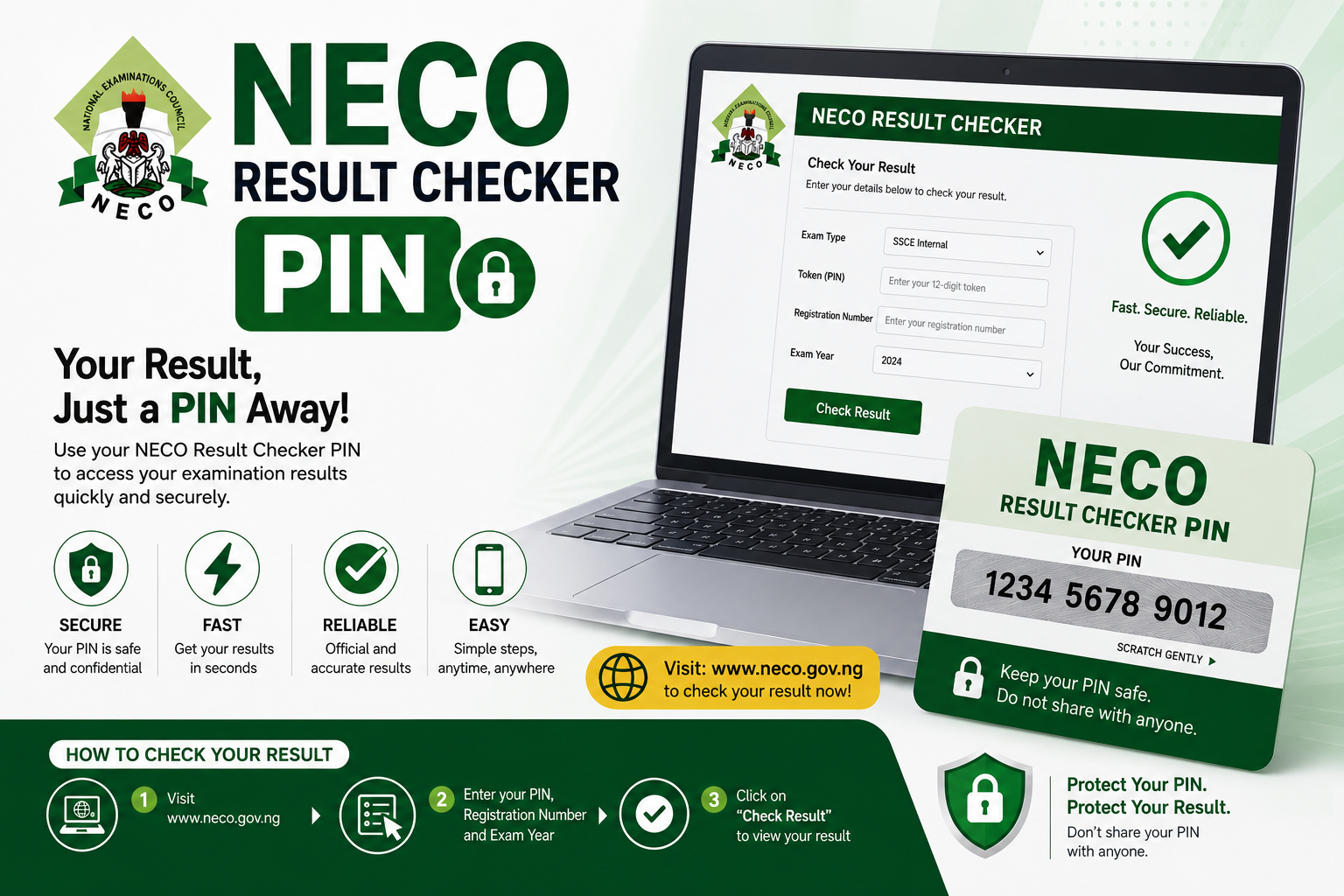
After weeks and months of preparation, sitting for the National Examinations Council examination, and then enduring the anxious wait that follows — the moment your result is released is one of the most significant moments of your secondary school career. But between the release announcement and actually seeing your result on screen stands one small but important requirement: your NECO result checker pin. Without it, you cannot access your result online. And without knowing exactly how to get it and use it correctly, even students with perfectly good results end up frustrated at the portal.
This guide covers everything you need to know about the NECO result checker pin — what it is, how to purchase it, the exact steps to use it to check your result online, what to do when the pin is not working, and how to avoid the most common mistakes students make during the result checking process. Whether you sat for the NECO SSCE (Senior School Certificate Examination), the NECO GCE (General Certificate Examination), or any other NECO examination, this guide applies directly to your situation.
What Is the NECO Result Checker Pin?
Understanding the Pin and Its Purpose
The NECO result checker pin is a unique, confidential numeric code that grants access to an individual candidate’s result on the official NECO result checking portal. It is a security feature — designed to ensure that only the candidate who purchased the pin, or someone authorised by that candidate, can view the result associated with a specific examination number. Without the correct pin, the portal will not display any result regardless of how many times you attempt to access it.
The pin is purchased rather than provided free of charge — NECO charges a fee for result checking as part of its examination administration revenue model. This is a standard practice among Nigerian examination bodies, and the fee for the NECO result checker pin is modest relative to the importance of the document it grants access to. The pin is single-use in most cases — once it has been used to check a result, it cannot be reused to check a different candidate’s result, which is part of how NECO protects the integrity of its result access system.
The NECO Result Checker Pin vs. the NECO Token
Students sometimes encounter two different terms when researching how to check their NECO result — the “result checker pin” and the “token.” These terms are often used interchangeably, though in some versions of the NECO result checking system, the token refers to an additional security code generated during the login process rather than the purchased pin itself. For the purposes of this guide, “NECO result checker pin” refers to the purchased access code required to initiate the result checking process. Where a token is separately required — as a second-step verification — the portal will prompt you for it at the appropriate stage.How to Get Your NECO Result Checker Pin
Option One: Purchase Through the NECO Portal Directly
The most straightforward and most secure way to obtain your NECO result checker pin is through the official NECO result checking portal at result.neco.gov.ng. The portal has an integrated payment system that allows candidates to purchase their result checker pin directly online using a debit card, bank transfer, or other accepted payment methods. Purchasing directly through the official portal eliminates the risk of buying a fraudulent or already-used pin from a third-party vendor — which is one of the most common problems students encounter when they purchase from unofficial sources.
To purchase through the portal, visit result.neco.gov.ng, select the option to purchase a result checker pin or token, enter your examination details — your examination number and the examination type (SSCE Internal, SSCE External/GCE, or other) — and follow the payment prompts. After successful payment, your pin is generated and displayed on screen. Copy it immediately and store it safely — you will need it to complete the result checking process. The pin is also typically sent to the email address or phone number you provide during the purchase process, which serves as a backup if you close the browser before noting it down.
Option Two: Purchase a Scratch Card From Authorised Vendors
NECO also distributes result checker pins through physical scratch cards sold at authorised vendor points — banks, post offices, and licensed NECO result checker card vendors. The scratch card contains a concealed pin beneath a silver scratch-off panel. Once you purchase the card and scratch off the panel carefully — using a coin rather than a sharp object to avoid damaging the numbers underneath — the pin is revealed and ready for use on the NECO result portal.
When purchasing a physical scratch card, buy only from authorised vendor points — banks and officially licensed vendors. Purchasing from roadside vendors, social media sellers, or individuals you do not know carries a significant risk of receiving a card that has already been used, a card with a damaged or unreadable pin, or outright fraudulent cards that look genuine but contain no valid pin. The small cost saving of buying from an unofficial vendor is not worth the risk of a worthless card that cannot be refunded or replaced.
Option Three: Purchase Through Internet Banking or USSD
Some Nigerian banks offer NECO result checker pin purchase through their internet banking platforms or USSD banking codes. This option is convenient for candidates who are already enrolled in their bank’s digital banking service and prefer not to use the NECO portal payment system directly. Check your bank’s internet banking platform under the “Bill Payment” or “Education” category to see if NECO result checker pin purchase is available. If it is, follow the bank’s prompts to complete the purchase and receive your pin by SMS or on screen.
How Much Does the NECO Result Checker Pin Cost?
The cost of the NECO result checker pin for the 2025 examination cycle is approximately ₦1,000 per pin. This price has been relatively stable across recent NECO examination cycles, though NECO reserves the right to adjust the fee between cycles. Always confirm the current price on the official NECO website at neco.gov.ng before making payment — paying more than the official price is a sign that you are purchasing from an unofficial source that is marking up the price.
Step-by-Step Guide to Checking Your NECO Result With the Pin
What You Need Before You Begin
Before you start the result checking process, make sure you have the following ready: your NECO examination number — the number on your examination slip issued at registration; your NECO result checker pin — purchased through any of the methods described above; a stable internet connection — the NECO portal can be slow during peak periods immediately after result release, and a stable connection reduces the risk of a timeout error mid-process; and a device with a functional browser — laptop, desktop, or smartphone. Using a laptop or desktop is generally more reliable than a smartphone for portal transactions, though the NECO portal is accessible on mobile devices.
Step One: Visit the Official NECO Result Portal
Open your browser and navigate to the official NECO result checking portal at result.neco.gov.ng. Do not use any other website that claims to offer NECO result checking — only the official NECO portal is authorised to display genuine NECO results. Third-party websites that claim to check NECO results often harvest your examination number and pin for fraudulent purposes, or display fabricated results that are not genuine NECO records. Type the URL directly into your browser address bar rather than clicking links from social media or messaging apps — this protects you from phishing sites that use similar-looking URLs to deceive candidates.
Step Two: Select Your Examination Type
On the NECO result portal homepage, you will be presented with options for different examination types. Select the examination type that matches the examination you sat — SSCE Internal (for candidates who sat for NECO through their secondary school), SSCE External or GCE (for private candidates who registered independently), or any other examination type applicable to your situation. Selecting the wrong examination type is one of the most common mistakes candidates make — it results in the portal being unable to find your result even when your pin is valid and your examination number is correct.
Step Three: Enter Your Examination Number
In the examination number field, enter your NECO examination number exactly as it appears on your examination slip. The examination number is a combination of letters and numbers in a specific format — do not add spaces, do not omit any characters, and do not substitute letters for numbers or vice versa. Check your examination slip carefully before entering the number, and double-check your entry before proceeding to the next step. An incorrectly entered examination number will result in an error message even if your pin is completely valid.
Step Four: Enter Your Result Checker Pin
In the pin field, enter your NECO result checker pin exactly as it appears on your scratch card or as it was provided to you upon purchase through the portal or internet banking. The pin is typically a sequence of digits — enter them carefully without spaces or additional characters. If you are using a scratch card, ensure you have scratched the panel completely and are reading the full pin — partially scratched panels sometimes obscure one or two digits, which can lead to entry errors.
Step Five: Enter the Examination Year
Select or enter the year of the examination you sat for. This is the year in which you actually wrote the examination — not the current year if you are checking a previous year’s result. Selecting the wrong examination year is another common error that prevents successful result retrieval. If you sat for NECO in June 2024, select 2024 as the examination year regardless of when you are checking the result.
Step Six: Complete the Security Verification
The NECO portal typically includes a CAPTCHA or other security verification step — usually a simple image-based or text-based challenge designed to confirm that the person accessing the portal is a human rather than an automated bot. Complete this verification carefully. If the CAPTCHA is unclear or difficult to read, most portals offer a refresh option to generate a new, clearer challenge. Do not guess at a CAPTCHA you cannot read clearly — an incorrect CAPTCHA entry will cause the entire form to reset, requiring you to re-enter your examination number and pin.
Step Seven: Submit and View Your Result
After completing all fields and the security verification, click the submit or check result button. If all your entries are correct and your pin is valid, the portal will load your result — displaying your name, examination number, examination centre, and the grades you obtained in each subject. Take a screenshot of the result page immediately after it loads — do not rely on the browser to remain on the result page if you navigate away or if the session times out. Print a copy of your result if you have access to a printer, as a physical backup is valuable for school registration, JAMB supplementary result upload, and other purposes.
How to Upload Your NECO Result to JAMB
One of the most important uses of your NECO result after checking it is uploading it to your JAMB profile — so that JAMB and your prospective tertiary institution can access and verify your O’Level qualifications as part of the admission process. Many students check their NECO result and assume the process is complete, not realising that the result must be actively uploaded to the JAMB portal before it can be used for admission purposes.
To upload your NECO result to JAMB, log in to the JAMB e-Facility portal at efacility.jamb.gov.ng using your JAMB profile credentials. Navigate to the “Upload O’Level Results” section and select NECO as your examination body. Enter your examination number, the examination year, and your NECO result checker pin in the fields provided. The JAMB portal connects directly to the NECO database and retrieves your result electronically — you do not need to manually enter each subject and grade. Confirm the retrieved result is correct and submit the upload.
Upload your NECO result to JAMB as soon as it is available and your result checking is complete. Delays in uploading can affect your admission processing timeline, particularly if you are applying for programmes with early admission deadlines or if your result is needed to meet the cut-off requirements for your target institution.
What to Do If Your NECO Result Checker Pin Is Not Working
Check Your Entry for Errors First
Before concluding that your pin is faulty, go back through every field you entered and check each one carefully. The most common cause of a “pin not working” experience is not a faulty pin — it is an entry error. A transposed digit in the examination number, a wrong examination type selection, an incorrect examination year, or a misread digit from a scratched card are all far more common causes of pin failure than a genuinely invalid pin. Re-enter everything from scratch, taking extra care with each field, before assuming the pin itself is the problem.
Ensure the Result Has Been Released
If you are attempting to check your result before NECO has officially released results for your examination type and year, the portal will return an error or show no result regardless of how correctly you have entered your details. Monitor the official NECO website at neco.gov.ng and reputable Nigerian education news sources for the official result release announcement before attempting to check. Do not rely on social media rumours about result release — use only official announcements.
Try at a Less Busy Time
The NECO result portal experiences extremely high traffic immediately after a result release — with hundreds of thousands of candidates attempting to check simultaneously. This traffic surge frequently causes the portal to slow significantly, time out, or display errors that are not related to your pin or examination number. If you encounter persistent errors shortly after a result release announcement, wait a few hours — or until the following day — before trying again. The portal typically stabilises within twenty-four to forty-eight hours of a result release as the initial surge subsides.
Clear Your Browser Cache and Try a Different Browser
Browser-related issues — cached data conflicting with the portal’s session management, outdated browser versions, or browser extensions interfering with the portal’s functionality — can sometimes prevent successful result checking even when all your details are correct. Clear your browser cache and cookies, try a different browser (switching from Chrome to Firefox or vice versa), or try accessing the portal from a different device. These simple technical steps resolve a surprising number of portal access problems that candidates initially attribute to pin errors.
These simple technical steps resolve a surprising number of portal access problems that candidates initially attribute to pin errors.
Contact NECO Directly
If you have exhausted all the above steps and your pin continues to fail, the next step is to contact NECO directly. NECO has a customer support function — accessible through the contact details published on the official NECO website at neco.gov.ng — where candidates can report pin problems and request assistance. When contacting NECO support, have the following information ready: your examination number, the examination type and year, the purchase receipt or transaction reference for your pin purchase, and a clear description of the error message or problem you are experiencing. NECO support can investigate whether the pin was correctly issued, whether it has already been used, or whether there is a database problem with your result record that needs to be resolved at the administrative level.
Report Suspected Fraudulent Pins
If you purchased your pin from an unofficial source and it is not working, there is a real possibility that you received a pin that was already used, a pin that was never valid, or a fabricated code designed to look like a genuine NECO pin. Unfortunately, pins purchased from unofficial sources are not refundable by NECO — the organisation is only responsible for pins purchased through its official channels. If you have been defrauded, report the matter to the appropriate authorities and purchase a new pin through the official NECO portal or an authorised bank. Use this experience as a reminder that unofficial vendors offering NECO pins are a significant risk — the modest cost saving is never worth the potential of losing your money entirely.
How to Identify a Fraudulent NECO Result Checker Pin Vendor
Pin fraud is a persistent problem in the Nigerian examination result checking ecosystem, and NECO candidates are among the most frequently targeted. Understanding how to identify fraudulent vendors protects you from losing money and the considerable stress of discovering your pin is worthless at the moment you need it most.
Fraudulent vendors typically operate through social media platforms — Facebook, WhatsApp, Twitter/X, and Instagram — offering NECO result checker pins at prices slightly below the official rate or claiming to offer verified or working pins that official channels supposedly do not. The below-official-price offer is the clearest signal of a fraudulent vendor — legitimate pins purchased through authorised channels cost the official price. There is no legitimate source of below-price NECO pins.
Vendors who ask you to send payment via personal bank transfer to an individual account rather than a corporate or institutional account before receiving your pin are overwhelmingly likely to be fraudulent. Legitimate transactions through banks and the official portal involve institutional payment channels, receipts, and transaction references that provide accountability. Personal transfers to individuals provide none of these protections and leave you with no recourse if the pin is not delivered or is invalid.
Protect yourself by purchasing exclusively through the official NECO portal at result.neco.gov.ng, through your bank’s official internet banking or USSD service, or by purchasing a physical scratch card at a bank branch or officially licensed vendor. These channels cost the same official price as any other source and provide the protection of an institutional transaction record.
Understanding Your NECO Result
How NECO Grades Work
Once you have successfully used your NECO result checker pin to access your result, understanding what the grades mean is the next step. NECO uses a grading system that mirrors the WAEC grading structure — which makes sense given that both examinations certify completion of the Nigerian secondary school curriculum at the same level. The grade scale runs from A1 at the top — representing excellent performance — through B2 and B3 (very good and good), C4, C5, and C6 (credit passes), D7 and E8 (pass grades that do not qualify as credits), and F9 (fail).
For university admission purposes in Nigeria, the critical threshold is a credit pass — C6 and above in each required subject. Five credits including English Language and Mathematics is the minimum O’Level requirement for most university programmes. For competitive courses like Medicine, Law, and Engineering, credits of C4 and above in the specific required subjects are necessary to be competitive. Your NECO result carries exactly the same weight as a WAEC result for university admission purposes — the two are interchangeable for JAMB and tertiary institution admission requirements.
When to Consider a NECO GCE Resit
If your NECO SSCE result does not meet the requirements for your intended tertiary programme — because you failed a required subject, obtained only a pass grade where a credit is needed, or did not sit a subject that your target programme requires — the NECO GCE (General Certificate Examination) offers an opportunity to improve your result. The NECO GCE is a separate examination held annually for private candidates — including school leavers who want to improve specific subjects from a previous SSCE sitting. Results from the NECO GCE and the NECO SSCE can be combined for university admission purposes — most Nigerian universities accept a combination of results from two sittings, though some competitive programmes require all required credits at one sitting.
NECO Result Checker Pin for Previous Years
Can You Check Old NECO Results?
Yes — NECO maintains records of past examination results in its database, and candidates who sat for NECO in previous years can check their results using the same result checker pin system. If you sat for NECO several years ago and need to access your result — for a university application, a professional registration, or any other purpose — you can purchase a result checker pin through the official NECO portal and use it to access your historical result. When checking a previous year’s result, ensure you select the correct examination year during the result checking process — the examination year you select must match the year in which you actually sat for the examination.
Obtaining a NECO Result Slip for Verification
For candidates who need a physical NECO result slip or certificate for institutional verification purposes — rather than just online access — NECO issues physical result slips through its state offices. Contact the NECO state office in your state of examination, or the NECO headquarters in Minna, Niger State, for information on how to obtain a physical result document. Physical result documents are typically required for international university applications, professional body registrations, and other formal verification processes that do not accept a screenshot of an online result.
The Difference Between NECO and WAEC Result Checker Pins
Students who have sat for both NECO and WAEC examinations sometimes confuse the two result checking systems — attempting to use a NECO pin on the WAEC portal or vice versa. It is important to understand that NECO and WAEC are separate examination bodies with entirely separate result portals and separate pin systems. A NECO result checker pin works only on the NECO result portal at result.neco.gov.ng. A WAEC result checker pin works only on the WAEC result portal at waecdirect.org. They are not interchangeable.
If you sat for both examinations, you need a separate pin for each. Both results can be uploaded to JAMB separately, and your combined O’Level qualifications from both examination bodies contribute to meeting your institution’s entry requirements.Frequently Asked Questions
What is the NECO result checker pin?
The NECO result checker pin is a unique numeric code purchased by NECO candidates to access their examination result on the official NECO result portal at result.neco.gov.ng. It is a security feature that ensures only authorised individuals can view a candidate’s result. The pin costs approximately ₦1,000 for the 2025 examination cycle and is purchased through the official NECO portal, authorised bank channels, or physical scratch cards from licensed vendor points.
How do I get the NECO result checker pin?
You can obtain your NECO result checker pin in three ways: by purchasing directly through the official NECO result portal at result.neco.gov.ng using a debit card or bank transfer; by purchasing through your bank’s internet banking or USSD service under the bill payment or education category; or by buying a physical NECO result checker scratch card from a bank branch or officially licensed vendor. Always purchase through official channels only — pins from unofficial sources carry a significant risk of being invalid, already used, or fraudulent.
How many times can I use my NECO result checker pin?
The NECO result checker pin is designed for single-use access. Once it has been used to successfully retrieve a result, it is typically deactivated and cannot be used again. This is why taking a screenshot and printing your result immediately after it displays is strongly recommended — it gives you a permanent copy without needing to repurchase a pin.
What do I do if my NECO result checker pin is not working?
First, carefully re-enter all your details — examination number, examination type, examination year, and pin — checking each field against your examination slip and pin card for accuracy. Second, confirm that NECO has officially released results for your examination type and year. Third, try clearing your browser cache and using a different browser or device. Fourth, if the problem persists, contact NECO support through the official contact channels on neco.gov.ng with your purchase receipt and examination details.
Can I use my NECO result checker pin to upload my result to JAMB?
Yes — your NECO result checker pin is required when uploading your NECO result to your JAMB profile on the JAMB e-Facility portal. Log in to efacility.jamb.gov.ng, navigate to the O’Level result upload section, select NECO as the examination body, and enter your examination number, year, and pin. The JAMB portal connects to the NECO database and retrieves your result automatically. Upload your result as soon as it is available to avoid delays in your admission processing.
Is it safe to check my NECO result on my phone?
Yes — the NECO result portal is accessible on smartphones through a mobile browser. However, using a laptop or desktop is generally more reliable, particularly during high-traffic periods immediately after a result release. If you are checking on a mobile device, ensure you have a stable internet connection, use a current browser, and take screenshots of your result as soon as it displays — mobile browsers sometimes time out or clear session data more readily than desktop browsers.
Final Thoughts
The NECO result checker pin is a small but essential tool in one of the most important moments of a Nigerian student’s academic journey. Getting it right — purchasing from the correct channel, entering your details carefully, and knowing what to do if something goes wrong — ensures that the result you worked so hard for is accessible when you need it, in the format you need it, without unnecessary stress or delay.
Purchase your pin from the official NECO portal or an authorised bank. Enter your examination details with care. Take a screenshot of your result the moment it appears on screen. Upload it to JAMB immediately after checking. And if anything goes wrong, work through the troubleshooting steps in this guide before contacting NECO support — most pin problems are entry errors that a careful second attempt resolves.
Your NECO result is the product of months of preparation and years of secondary school study. The few minutes it takes to check it correctly — using a genuinely purchased pin through the official portal — are well worth the care. Check your result, celebrate what you have achieved, and take the next confident step toward your tertiary education and the career you are building toward.